






 Career Serve
SWAYAM Admit Card 2026 Released for January Semester: Direct Link, Revised Dates & Download Guide
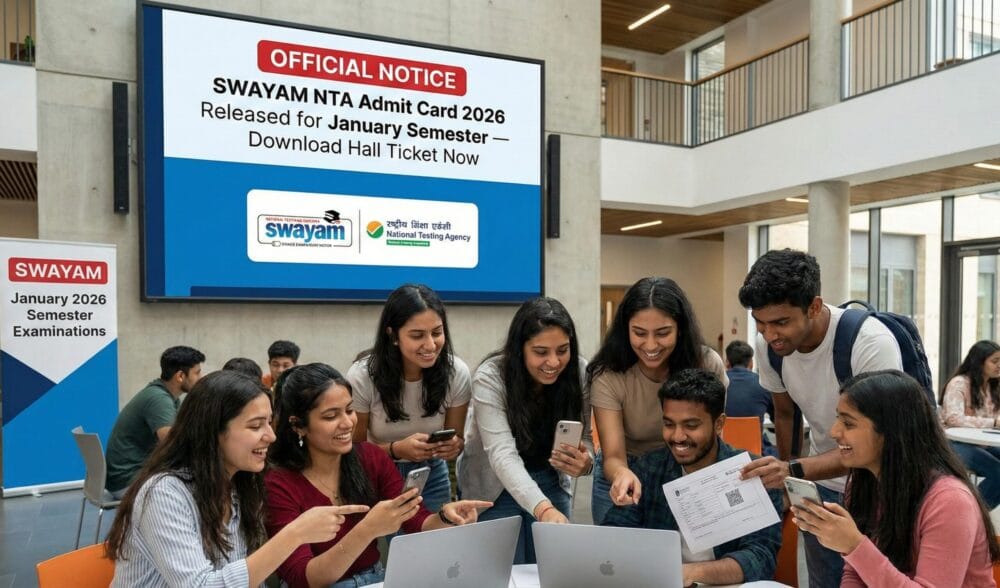
The SWAYAM Admit Card 2026 for the January semester has officially been released, and candidates enrolled for the upcoming examinations can now download their hall tickets from the official portal. With thousands of learners participating in SWAYAM’s national-level online courses every year, this update is crucial for all who plan to appear in the semester-end exams conducted by NTA.
This detailed guide helps you understand the complete process of downloading the SWAYAM hall ticket, the revised exam dates for selected subjects, important exam-day guidelines and troubleshooting steps.
What Is SWAYAM and Why Is the Admit Card Important?
SWAYAM (Study Webs of Active–Learning for Young Aspiring Minds) is a Government of India initiative driven by the Ministry of Education to make high-quality digital education accessible to everyone. The platform hosts courses by reputed institutions such as NPTEL, AICTE, UGC, IGNOU, CEC, NCERT and more.
You can learn more about the initiative on the official SWAYAM portal:
🔗 https://swayam.gov.in/
For candidates appearing in the January 2026 semester exams, the admit card is mandatory. It serves as your identity document for the exam and contains essential information such as:
Your name and photograph
Course title and code
Exam centre address
Reporting time and session
Exam-specific instructions
Without this hall ticket, entry to the exam centre is not permitted.
How to Download SWAYAM Admit Card 2026 (Direct Link & Steps)
The National Testing Agency (NTA), which conducts the SWAYAM exams, has enabled the download option on its official portal.
Official NTA SWAYAM Examination Website:
🔗 https://exams.nta.ac.in/SWAYAM/
Follow these steps to download your hall ticket:
Visit the NTA SWAYAM exams portal.
Click “SWAYAM Admit Card 2026 – January Semester” on the homepage.
Enter your Application Number, registered mobile number, or email ID.
Provide your Password or Date of Birth.
Click Submit to log in.
Download the admit card and take a printout, as a physical copy is required at the exam centre.
If the website loads slowly, try using another browser like Chrome or Firefox, or switch to incognito mode.
Revised Exam Dates Announced for Select Subjects
The exam authority has issued revised timings for certain courses due to unavoidable reasons. Candidates registered for these subjects must follow the updated schedule:
Basic Concepts in Education
Rescheduled from December 11 to December 15, 2025Basic Instructional Methods
Rescheduled from December 11 to December 16, 2025Student Psychology
Rescheduled from December 13 to December 16, 2025
Students are advised to check the updated timetable here:
🔗 https://www.nta.ac.in/
These changes reflect the most recent updates at the national level, and the new dates printed on your admit card should be considered final.
Details You Must Verify on Your SWAYAM Admit Card
After downloading the admit card, cross-check the following points:
Candidate name and photograph
Course name and paper code
Exam date and shift (morning/afternoon)
Reporting time and gate closing time
Test center address and Google Maps location
Exam-day instructions issued by NTA
If anything appears incorrect, such as spelling mistakes, wrong course code, or mismatched photograph, contact NTA immediately.
NTA Helpdesk:
🔗 https://nta.ac.in/ContactUs
Exam-Day Guidelines for SWAYAM January 2026
To ensure a smooth examination experience, candidates must follow the instructions printed on the admit card as well as the rules issued by NTA.
1. Arrive Early
Reach your exam centre at least 60–90 minutes before reporting time.
2. Carry These Mandatory Items
Printed SWAYAM Admit Card 2026
Original ID proof (Aadhaar, PAN, Passport, Voter ID)
Passport-size photo (same as uploaded)
3. Avoid Prohibited Items
Electronic devices including smartphones, smartwatches, calculators, Bluetooth devices and written notes are strictly banned.
4. Follow NTA Policies
NTA issues updated guidelines periodically. Students can check them here:
🔗 https://www.nta.ac.in/Downloads
Common Issues While Downloading Admit Card & How to Fix Them
Some candidates may face difficulties while accessing or downloading their hall ticket. Here are simple solutions:
1. Website Loading Slowly
Try again in 10–15 minutes
Switch to another browser
Turn off VPN
2. Invalid Login Credentials
Ensure that the details match the ones used during registration. If you forgot your credentials:
Recover application number through the login help page:
🔗 https://exams.nta.ac.in/SWAYAM/
3. Admit Card Not Visible
Clear browser cache
Try incognito mode
Reload after disabling extensions
What to Do If There Is an Error on Your Hall Ticket
If you find any incorrect details (wrong name, wrong course, missing photograph), you must contact the helpdesk immediately. Provide your application number, registered mobile number, and proof of correct details.
NTA SWAYAM Helpline & Support Page:
🔗 https://nta.ac.in/ContactUs
Delays in correction requests may affect your exam-day entry, so address discrepancies early.
About SWAYAM Courses: Why the Exams Matter
The SWAYAM programme offers high-quality online education across diverse academic fields. Many university colleges and institutions accept SWAYAM credits under the Credit Framework for Online Learning.
Learn more about the credit transfer rules here (UGC Official):
🔗 https://www.ugc.gov.in/
These exams validate the learner’s understanding and award credit points, certificates, and eligibility for further academic progression.
Conclusion
The release of the SWAYAM Admit Card 2026 marks an important milestone for students appearing in the January semester examination. Candidates should download their hall tickets immediately, verify every detail, prepare according to their updated exam dates and strictly follow the guidelines issued by NTA.
With the examination just around the corner, staying organized and informed will help ensure a smooth and stress-free exam experience. Make sure to visit the official SWAYAM and NTA portals regularly for the latest updates.